Out of stock
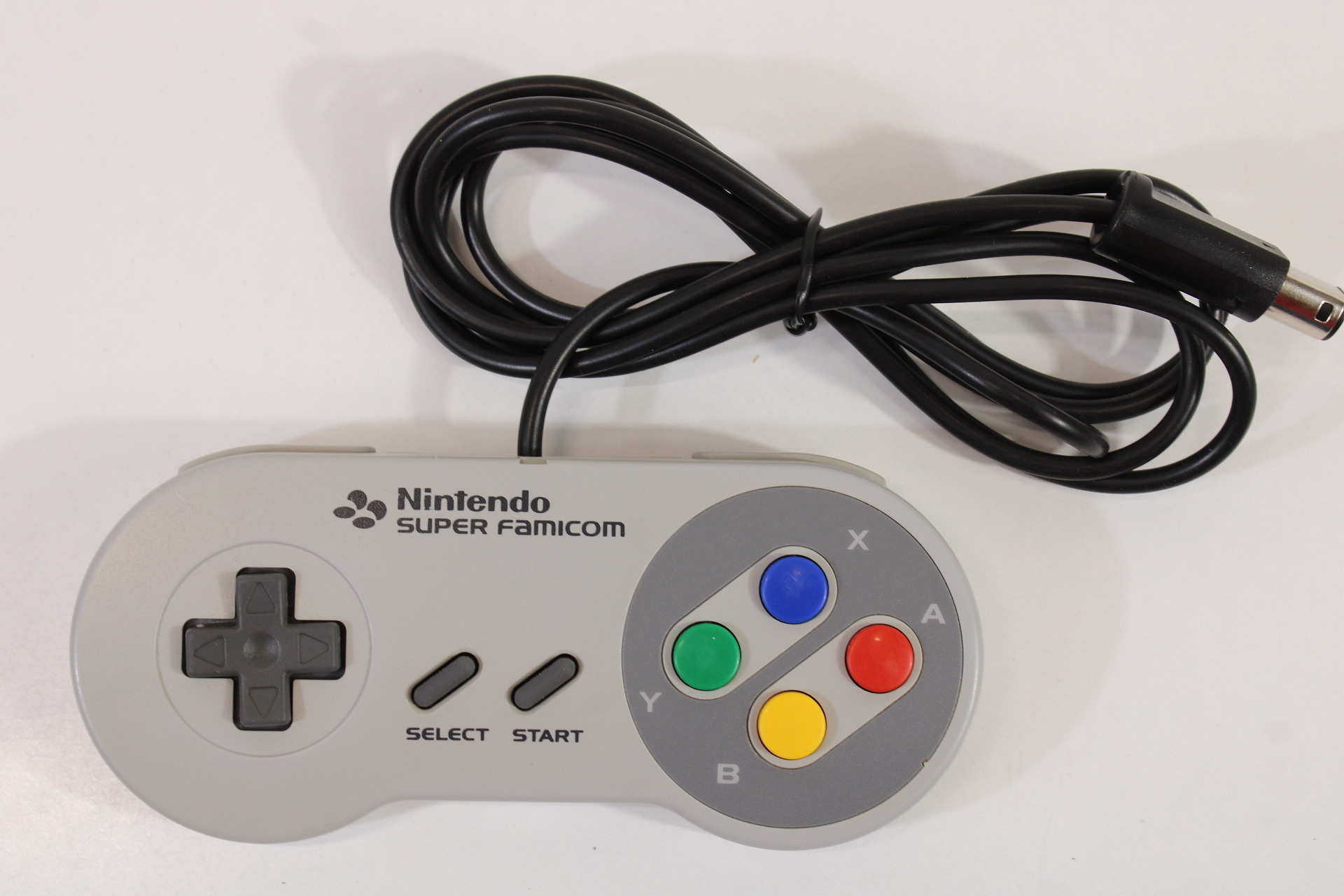
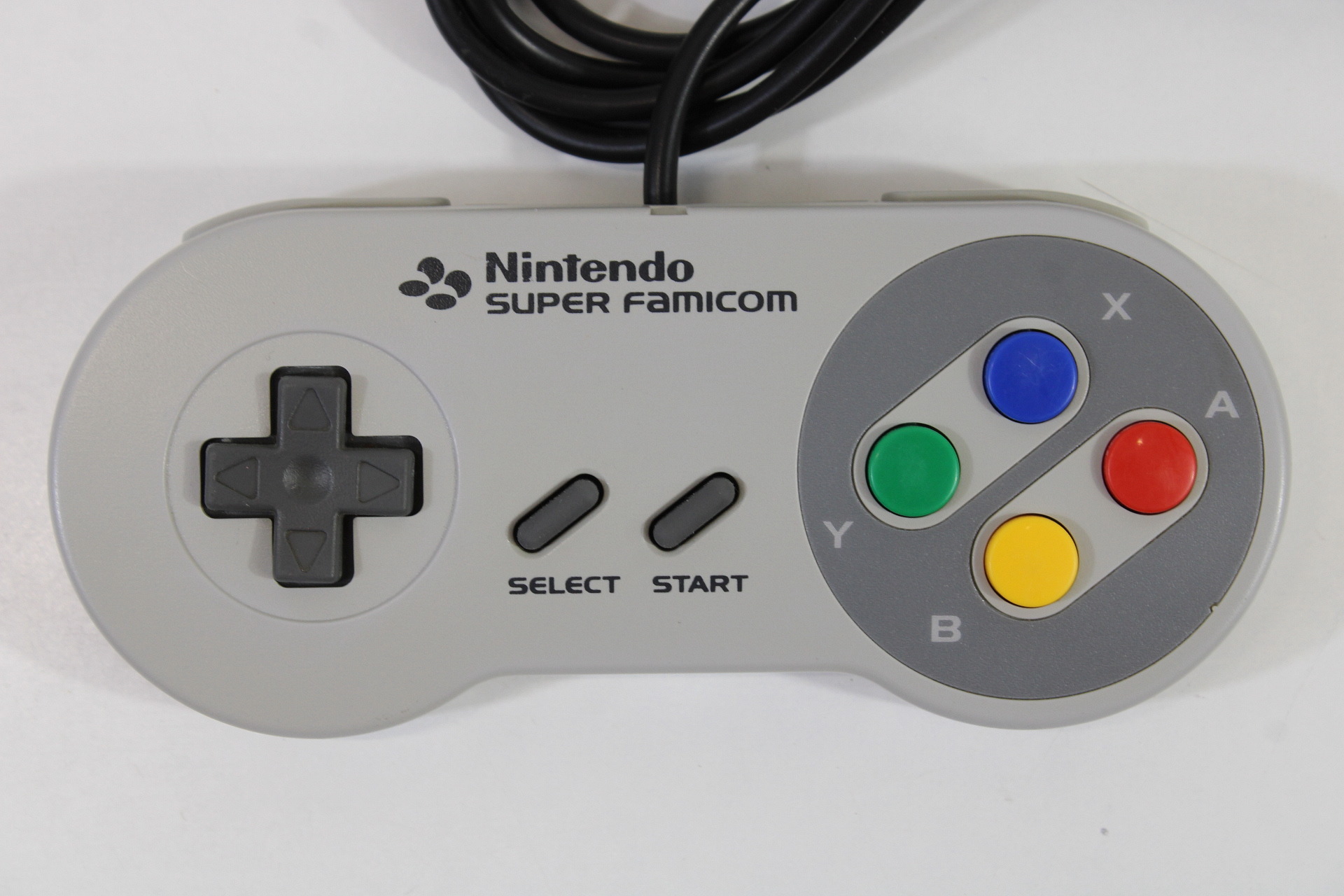
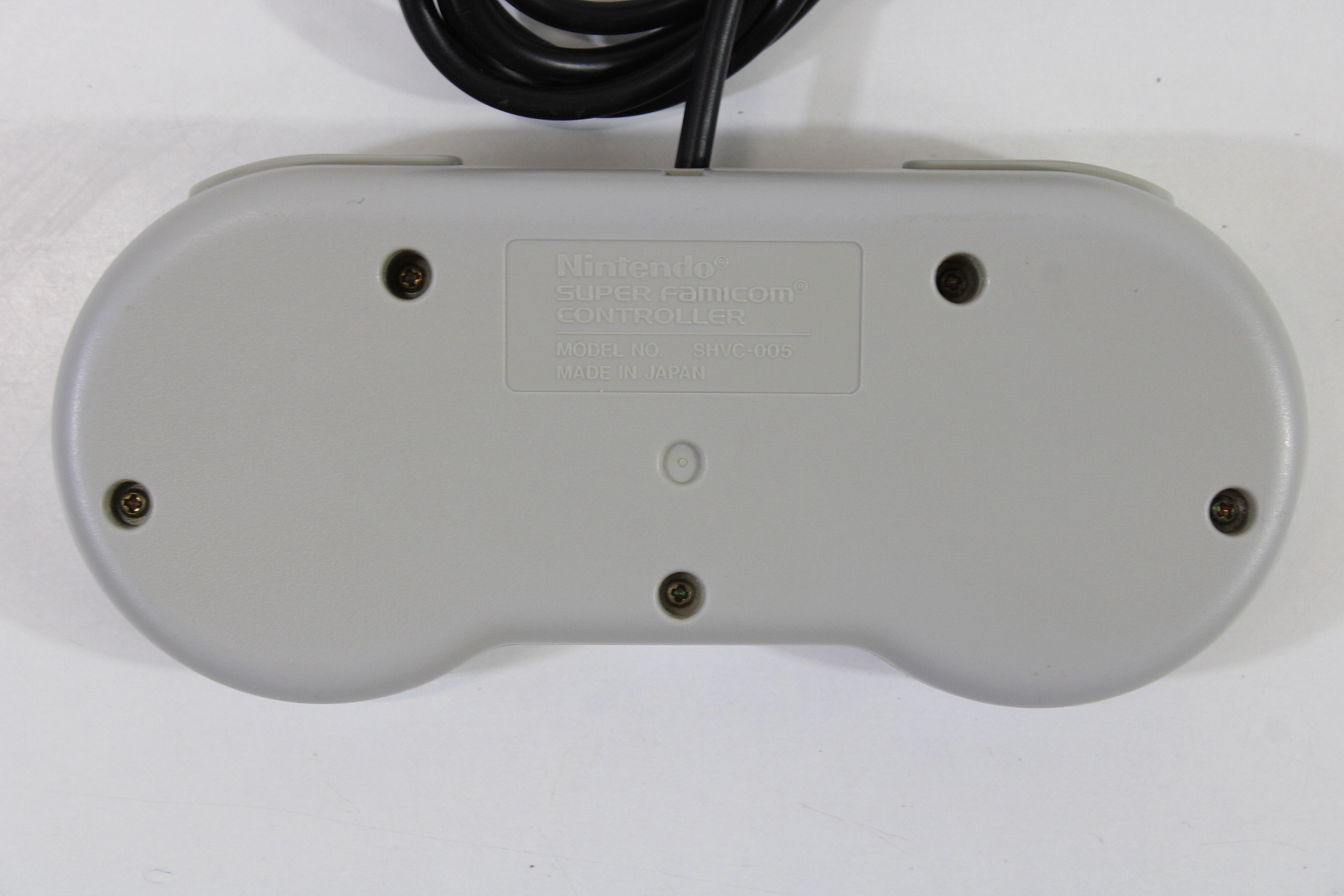
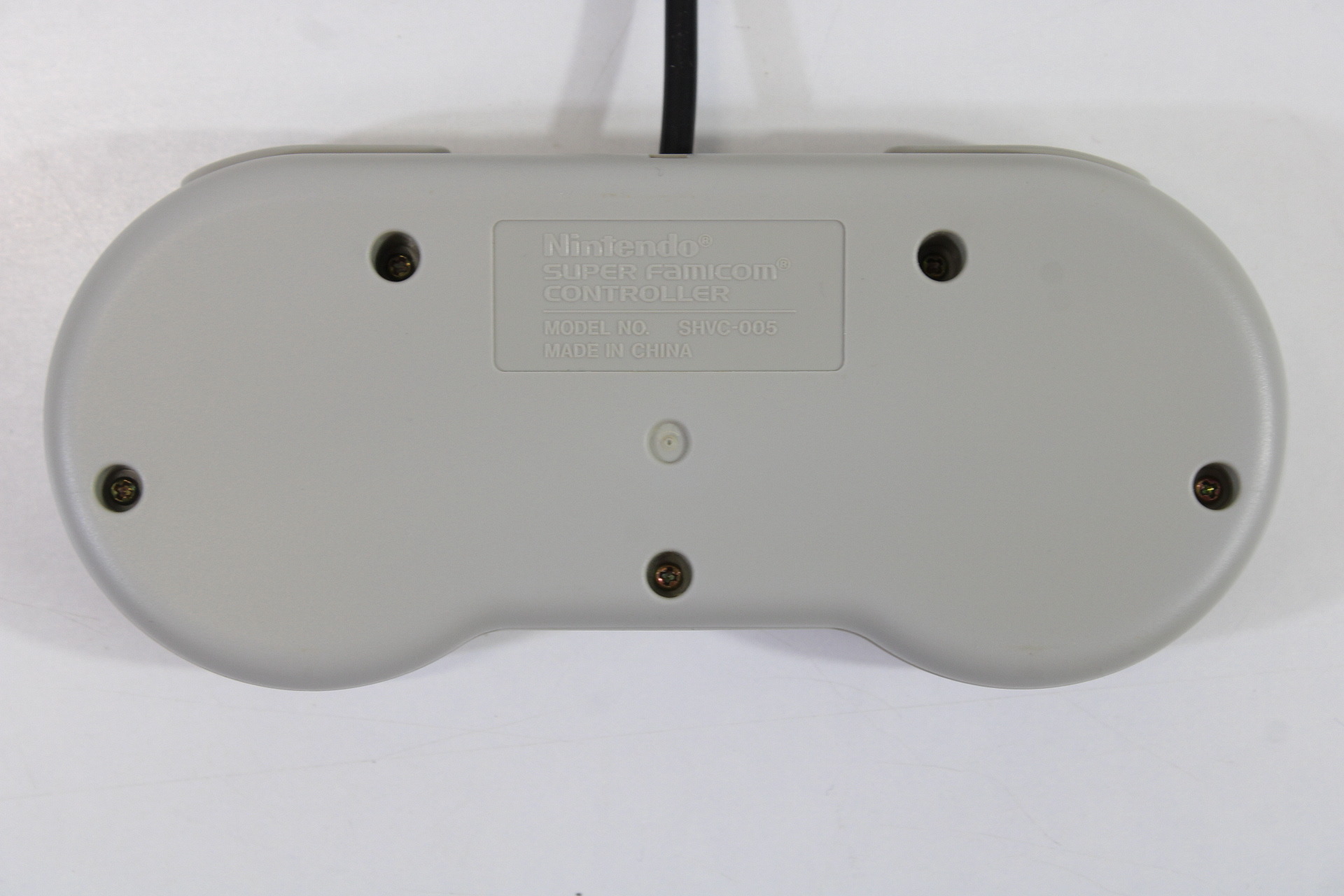
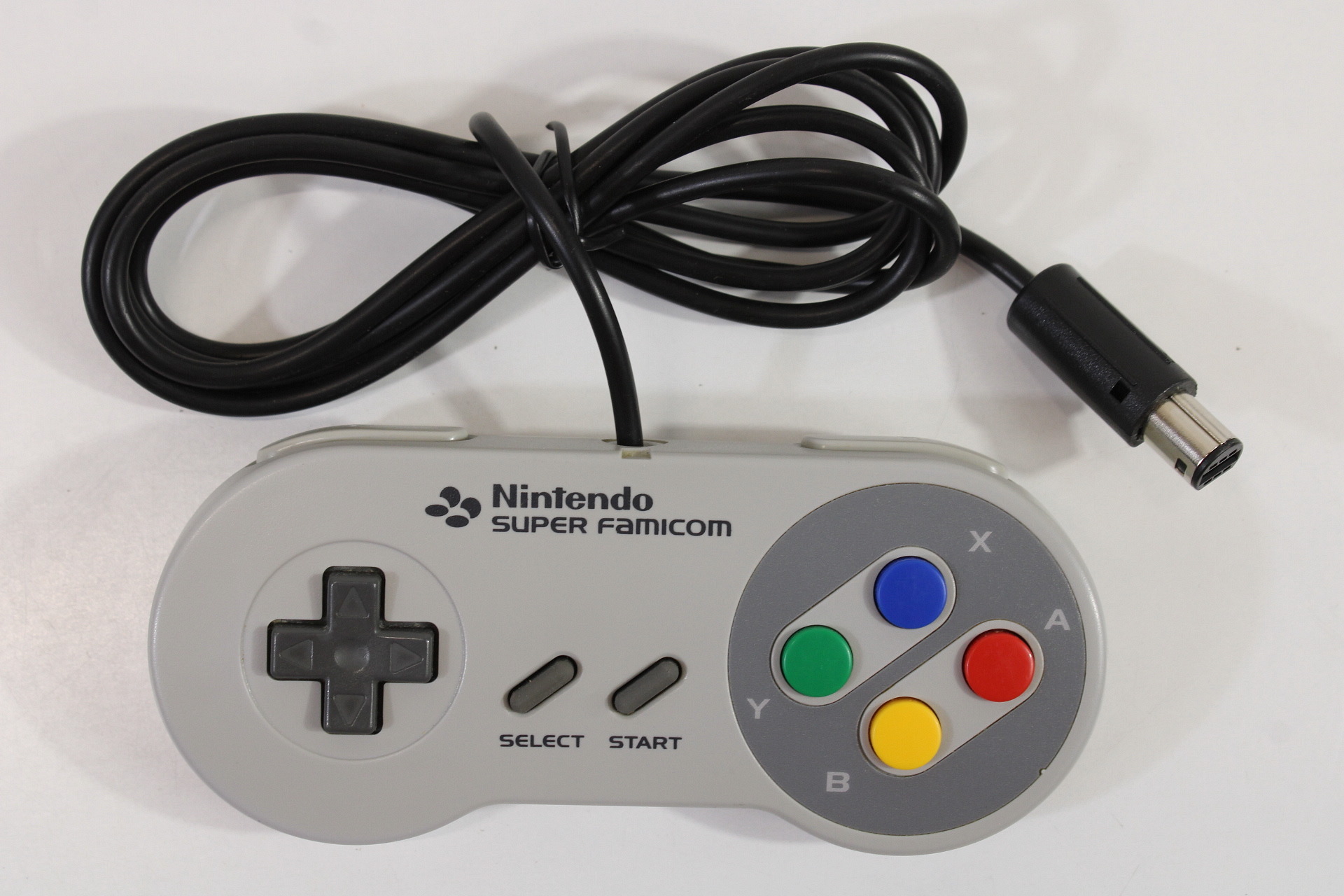
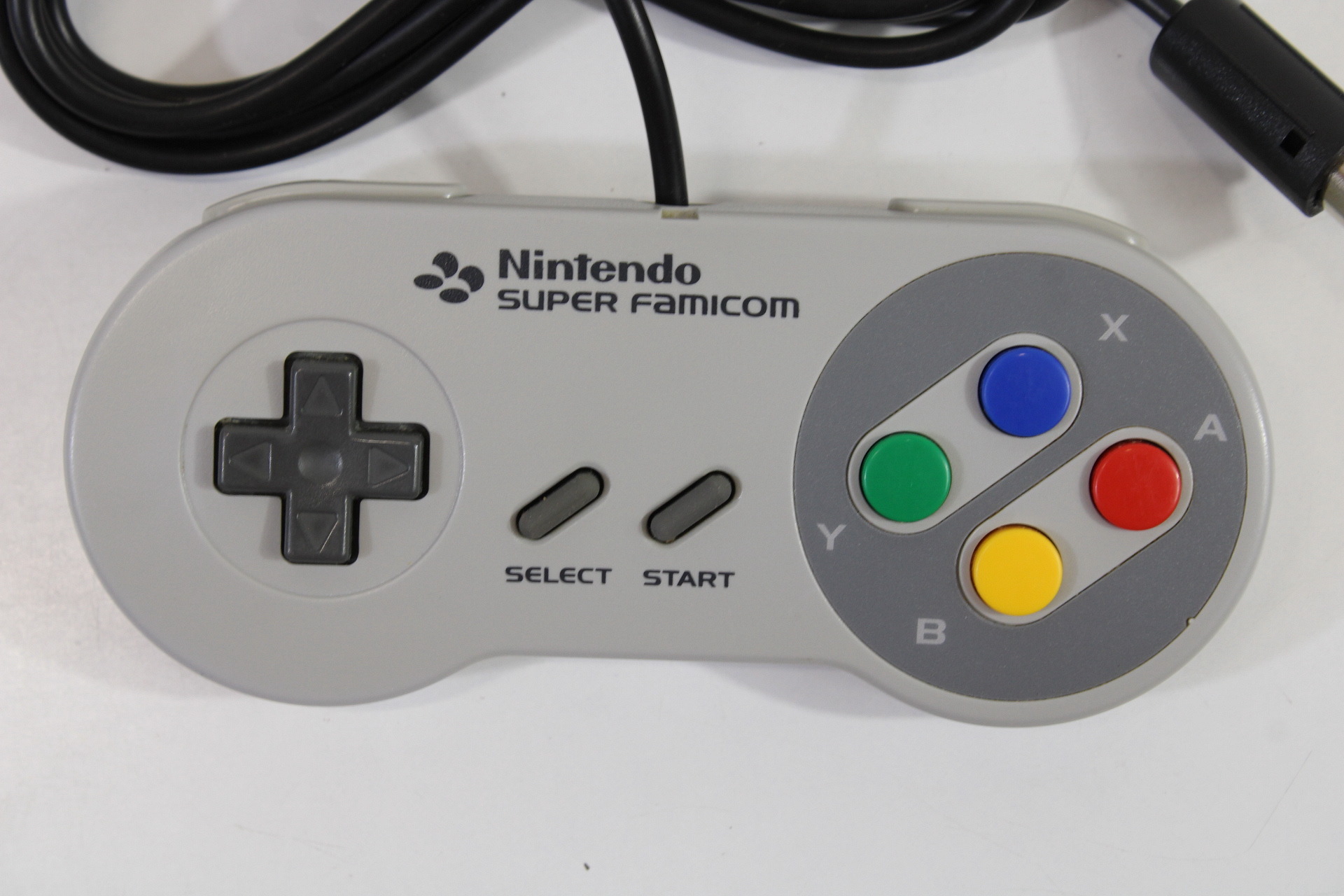
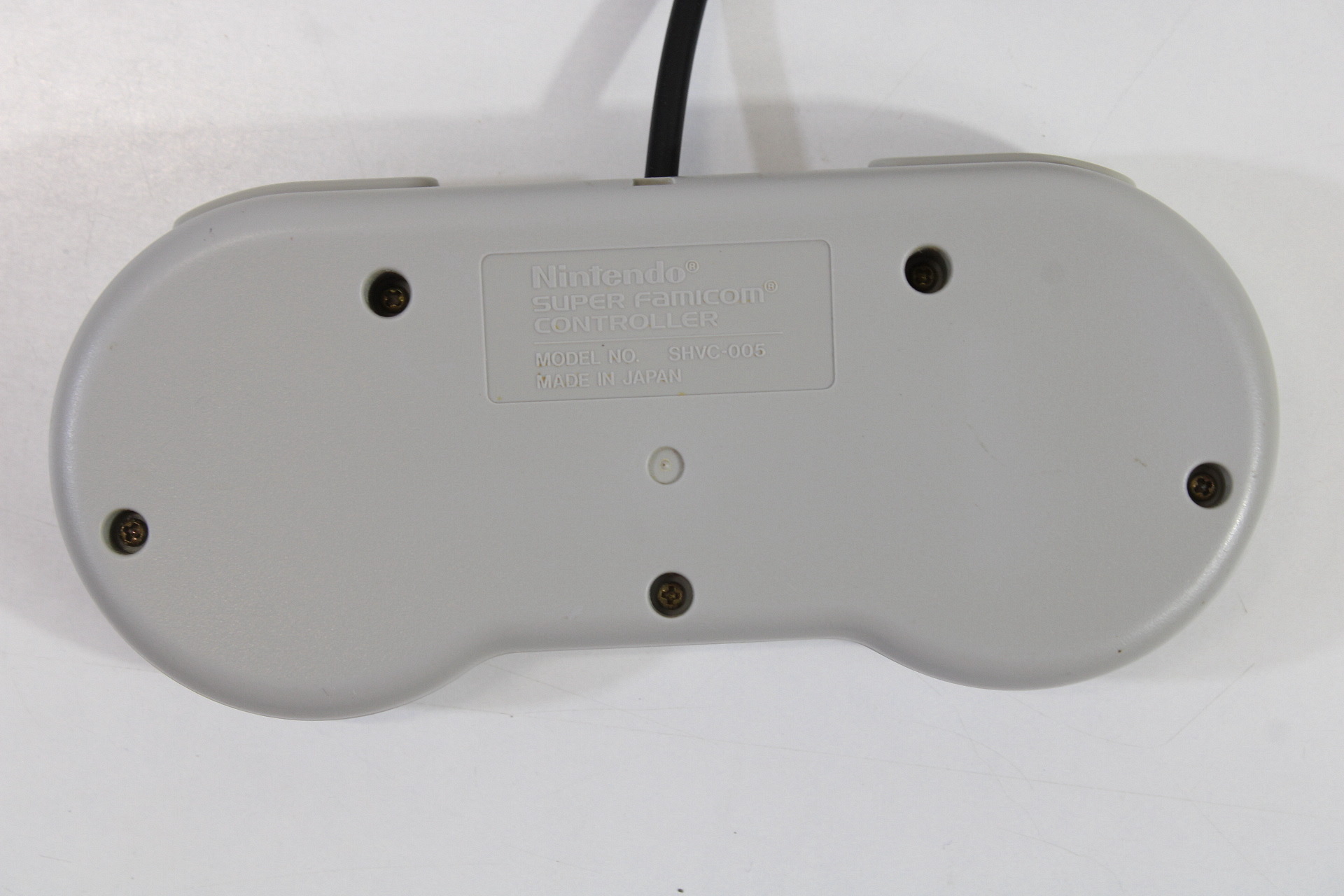
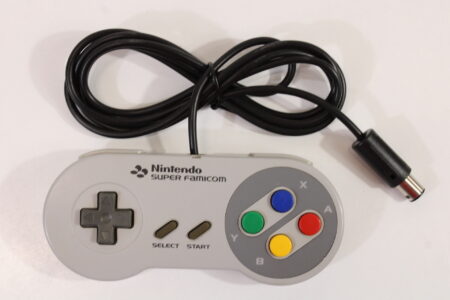
Nintendo Super Famicom Style Digital Controller Pad for Nintendo Gamecube Switch Discolored SFC GCN (B)
$49.99
Out of stock
Description
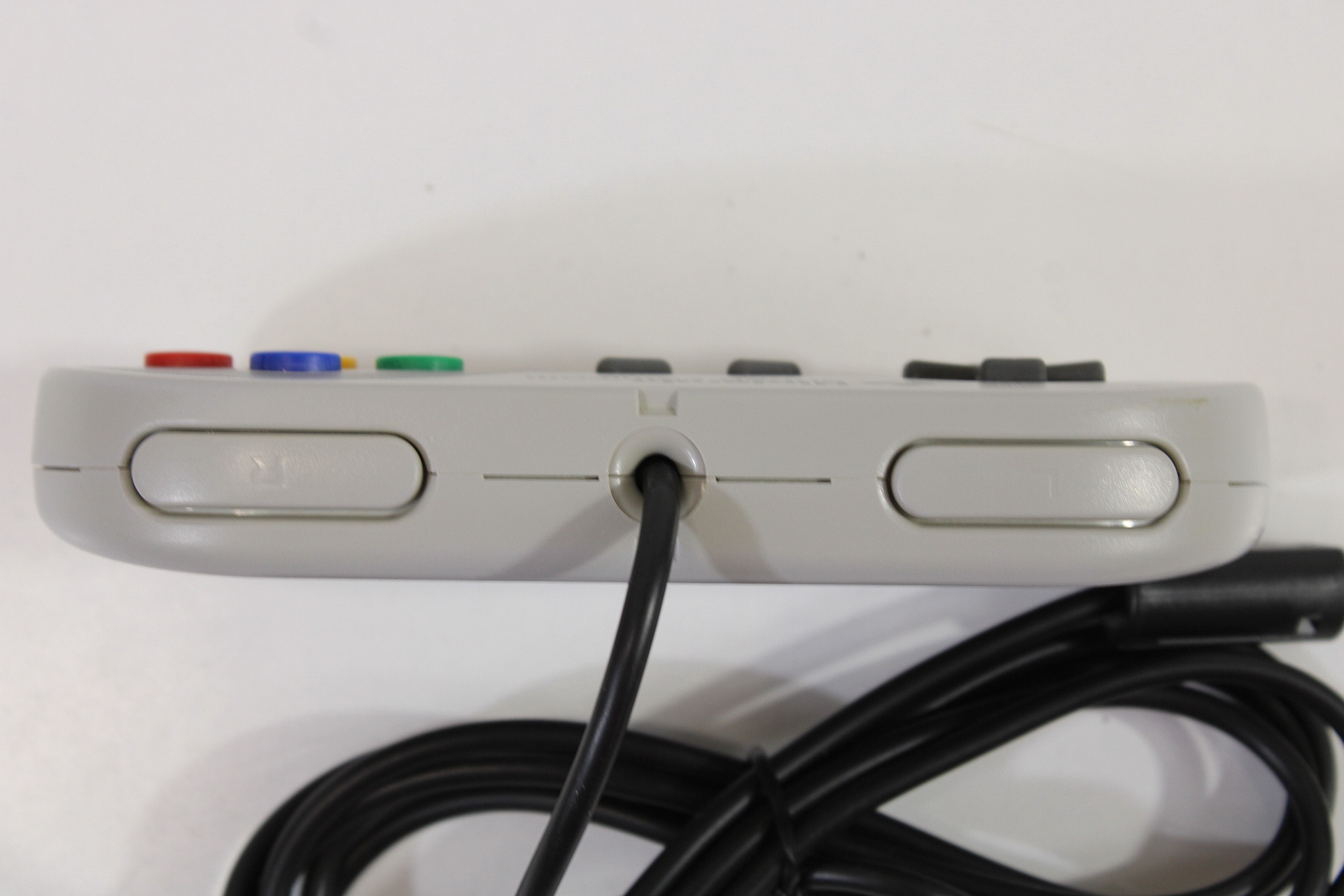
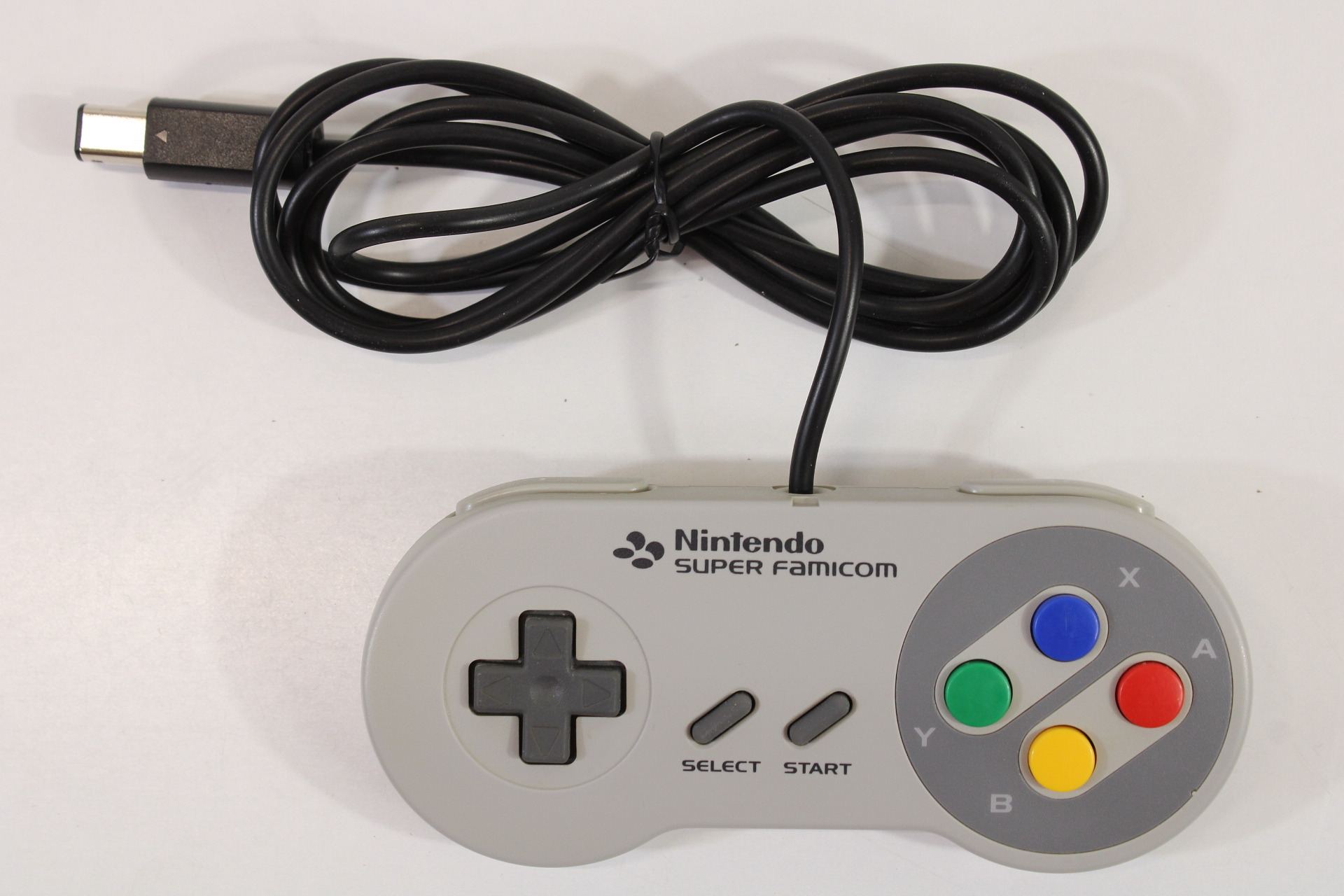
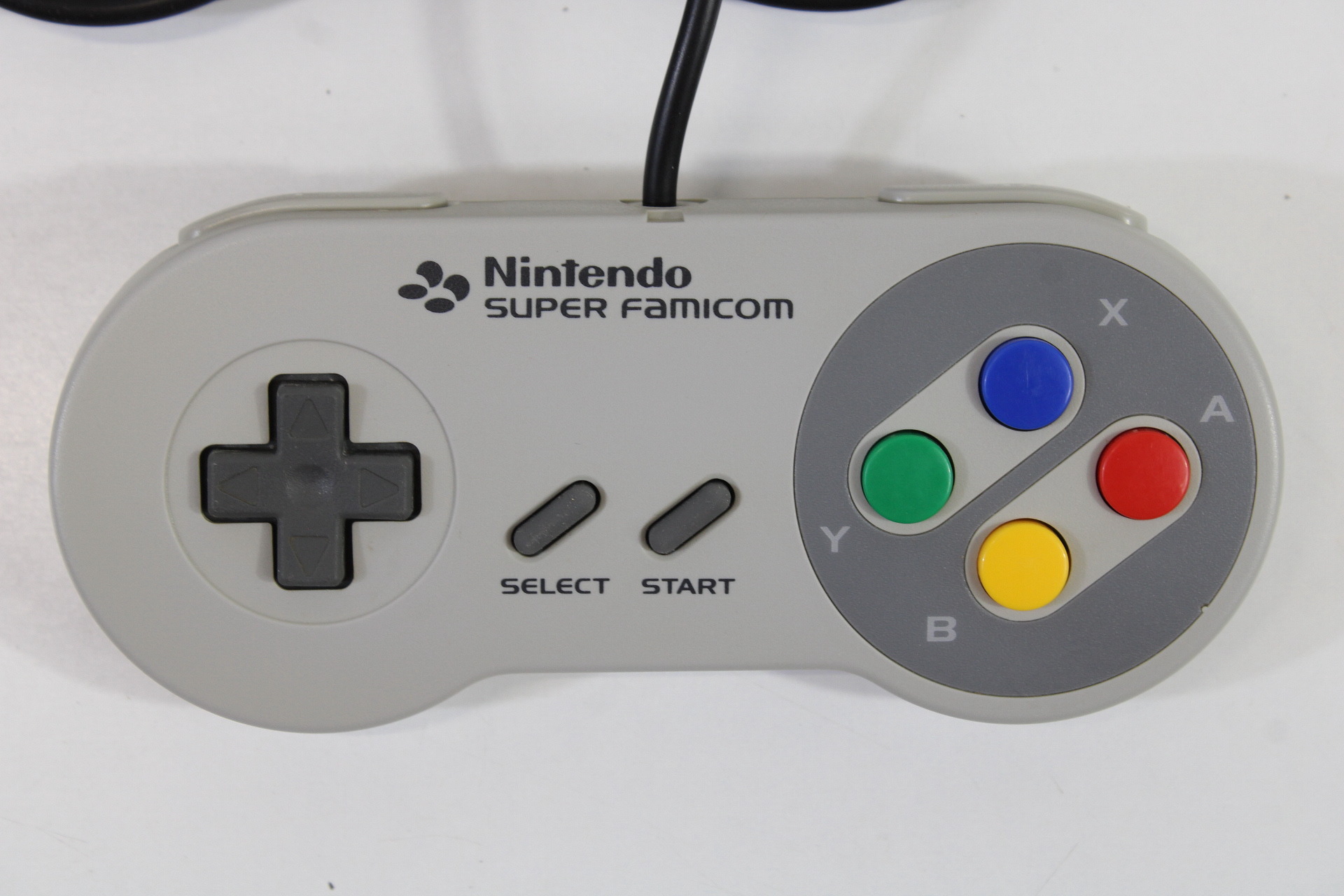
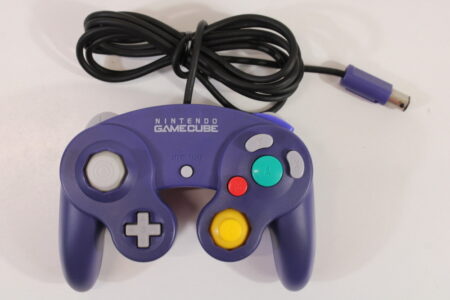
Nintendo Super Famicom Style Digital Controller Pad for Nintendo GameCube, Wii, Wii U, Switch Console.
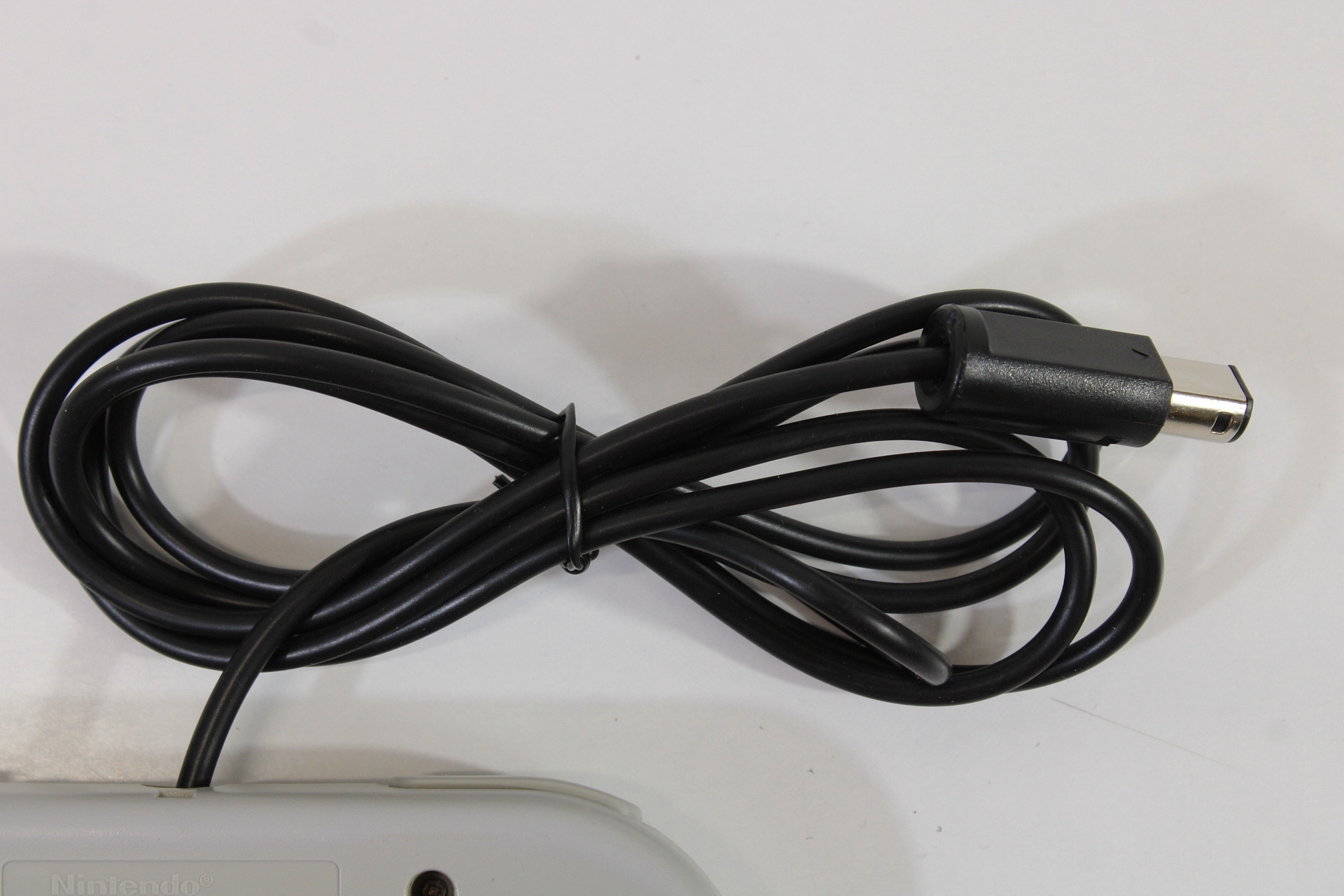
This controller was originally for Super Famicom/Super Nintendo console. We added a mod chip and GameCube cable and modded to play on Nintendo GameCube, Nintendo Wii console, and Nintendo Wii U and Nintendo Switch console (with an adapter). This controller is best for playing Gameboy games with Gameboy Player Adapter and SFC/SNES classic games on newer Nintendo console.
You can use this controller for Nintendo Switch console with a GameCube controller adapter. When you do this, you basically need another controller handy to exit a game or using select button.
Button mapping is below (5 built in. You can change it by holding a certain button when powering on).
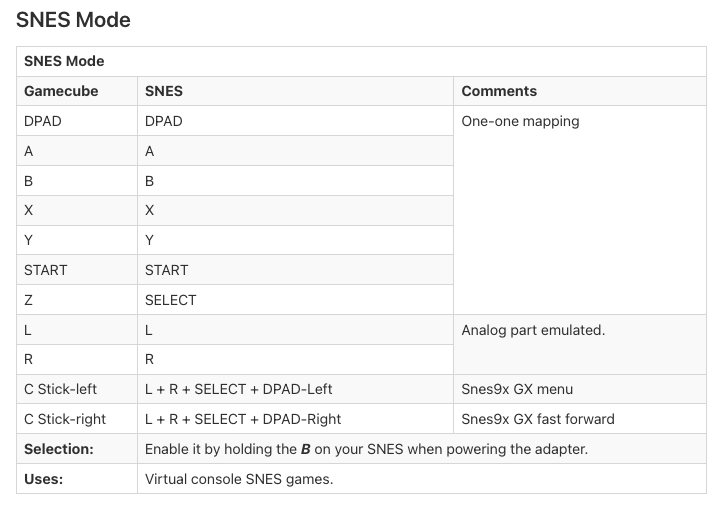
SNES Mode (Hold B button when powering it on)
| SNES Mode | ||
|---|---|---|
| Gamecube | SNES | Comments |
| DPAD | DPAD | One-one mapping |
| A | A | |
| B | B | |
| X | X | |
| Y | Y | |
| START | START | |
| Z | SELECT | |
| L | L | Analog part emulated. |
| R | R | |
| C Stick-left | L + R + SELECT + DPAD-Left | Snes9x GX menu |
| C Stick-right | L + R + SELECT + DPAD-Right | Snes9x GX fast forward |
| Selection: | Enable it by holding the B on your SNES when powering the adapter. | |
| Uses: | Virtual console SNES games. | |
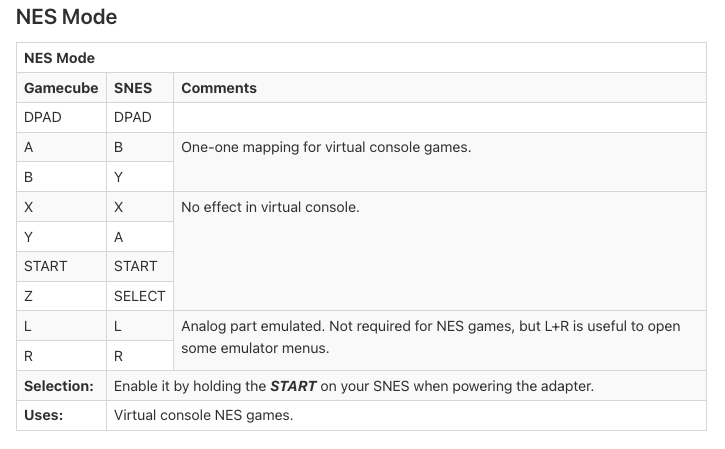
NES Mode (Hold Start button when powering it on)
| NES Mode | ||
|---|---|---|
| Gamecube | SNES | Comments |
| DPAD | DPAD | |
| A | B | One-one mapping for virtual console games. |
| B | Y | |
| X | X | No effect in virtual console. |
| Y | A | |
| START | START | |
| Z | SELECT | |
| L | L | Analog part emulated. Not required for NES games, but L+R is useful to open some emulator menus. |
| R | R | |
| Selection: | Enable it by holding the START on your SNES when powering the adapter. | |
| Uses: | Virtual console NES games. | |
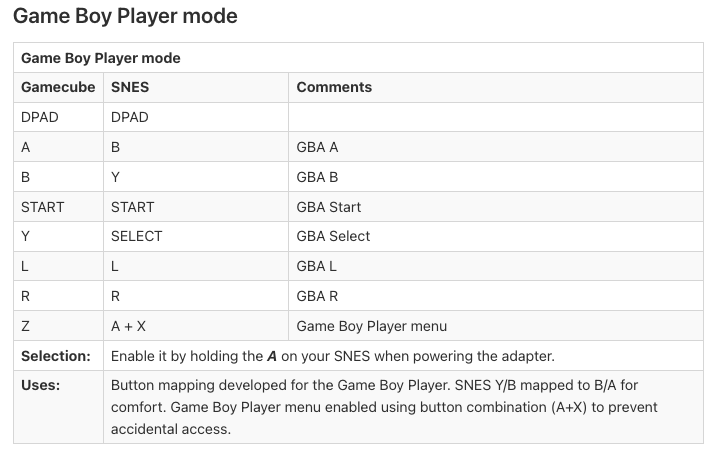
Gameboy Player Mode (Hold A button when powering it on)
| Game Boy Player mode | ||
|---|---|---|
| Gamecube | SNES | Comments |
| DPAD | DPAD | |
| A | B | GBA A |
| B | Y | GBA B |
| START | START | GBA Start |
| Y | SELECT | GBA Select |
| L | L | GBA L |
| R | R | GBA R |
| Z | A + X | Game Boy Player menu |
| Selection: | Enable it by holding the A on your SNES when powering the adapter. | |
| Uses: | Button mapping developed for the Game Boy Player. SNES Y/B mapped to B/A for comfort. Game Boy Player menu enabled using button combination (A+X) to prevent accidental access. | |
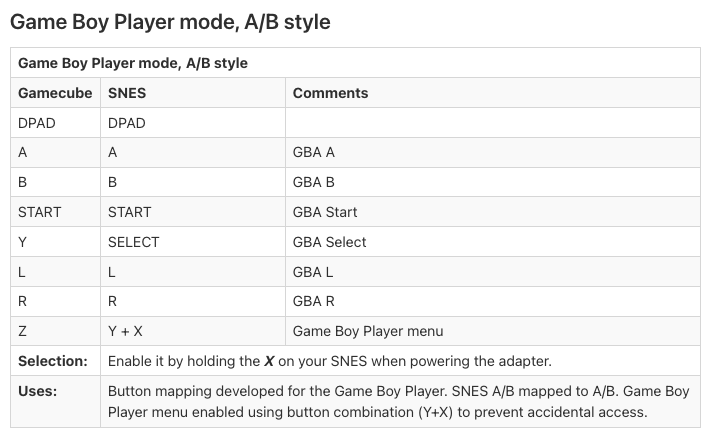
Gameboy Player Mode, A/B Style (Hold X button when powering it on)
| Game Boy Player mode, A/B style | ||
|---|---|---|
| Gamecube | SNES | Comments |
| DPAD | DPAD | |
| A | A | GBA A |
| B | B | GBA B |
| START | START | GBA Start |
| Y | SELECT | GBA Select |
| L | L | GBA L |
| R | R | GBA R |
| Z | Y + X | Game Boy Player menu |
| Selection: | Enable it by holding the X on your SNES when powering the adapter. | |
| Uses: | Button mapping developed for the Game Boy Player. SNES A/B mapped to A/B. Game Boy Player menu enabled using button combination (Y+X) to prevent accidental access. | |
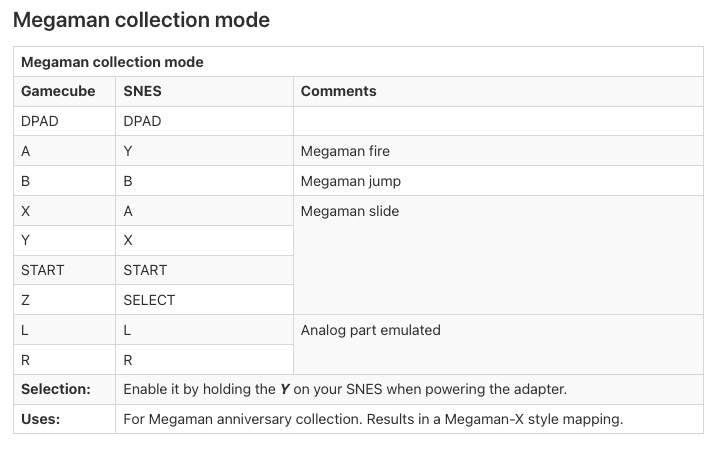
Megaman Collection Mode (Hold Y button when powering it on)
| Megaman collection mode | ||
|---|---|---|
| Gamecube | SNES | Comments |
| DPAD | DPAD | |
| A | Y | Megaman fire |
| B | B | Megaman jump |
| X | A | Megaman slide |
| Y | X | |
| START | START | |
| Z | SELECT | |
| L | L | Analog part emulated |
| R | R | |
| Selection: | Enable it by holding the Y on your SNES when powering the adapter. | |
| Uses: | For Megaman anniversary collection. Results in a Megaman-X style mapping. | |
You can use this for both US and Japanese consoles.
It will work on both US and Japanese / Gamecube and Wii console.
Condition: B. It may show minor cosmetic wears and/or slight discoloration.
Cleaned and Tested. Cleaned and tested. It is in good working condition.
Additional information
| Weight | 10 oz |
|---|---|
| Dimensions | 9 × 5 × 3 in |
| Consoles / Games / Accessories |